
Short answer
The SpotMax AI program generator builds a weekly training plan of 2 to 6 days. Choose a split such as Push/Pull/Legs or Upper/Lower, or let SpotMax pick, set the session length and add notes. SpotMax builds every day from your equipment, and the active program puts today's session on the Home screen.
How do you generate a program in SpotMax?
Set your days per week, pick a split, choose a session length and add any notes; SpotMax builds the whole week in one go.
- 1
Days per week
Anywhere from 2 to 6. The number of days drives how the week is divided.
- 2
Split
Auto, Push/Pull/Legs, Upper/Lower, Full body, or Body part split. The options are compared below.
- 3
Session length
How long each day should take, so a 45-minute lunch break gets a 45-minute day.
- 4
Anything else
Optional notes: injuries, exclusions, preferences. For example
no deadlifts, lower back
. - 5
Review and save
Name the program, then set it as your active program.
Which training splits can SpotMax build?
Five options, including Auto, which lets SpotMax choose the split that fits the number of days you picked.
| Split | How SpotMax describes it | Learn the split |
|---|---|---|
| Auto | Let SpotMax pick what fits your days. | Good default if you're unsure |
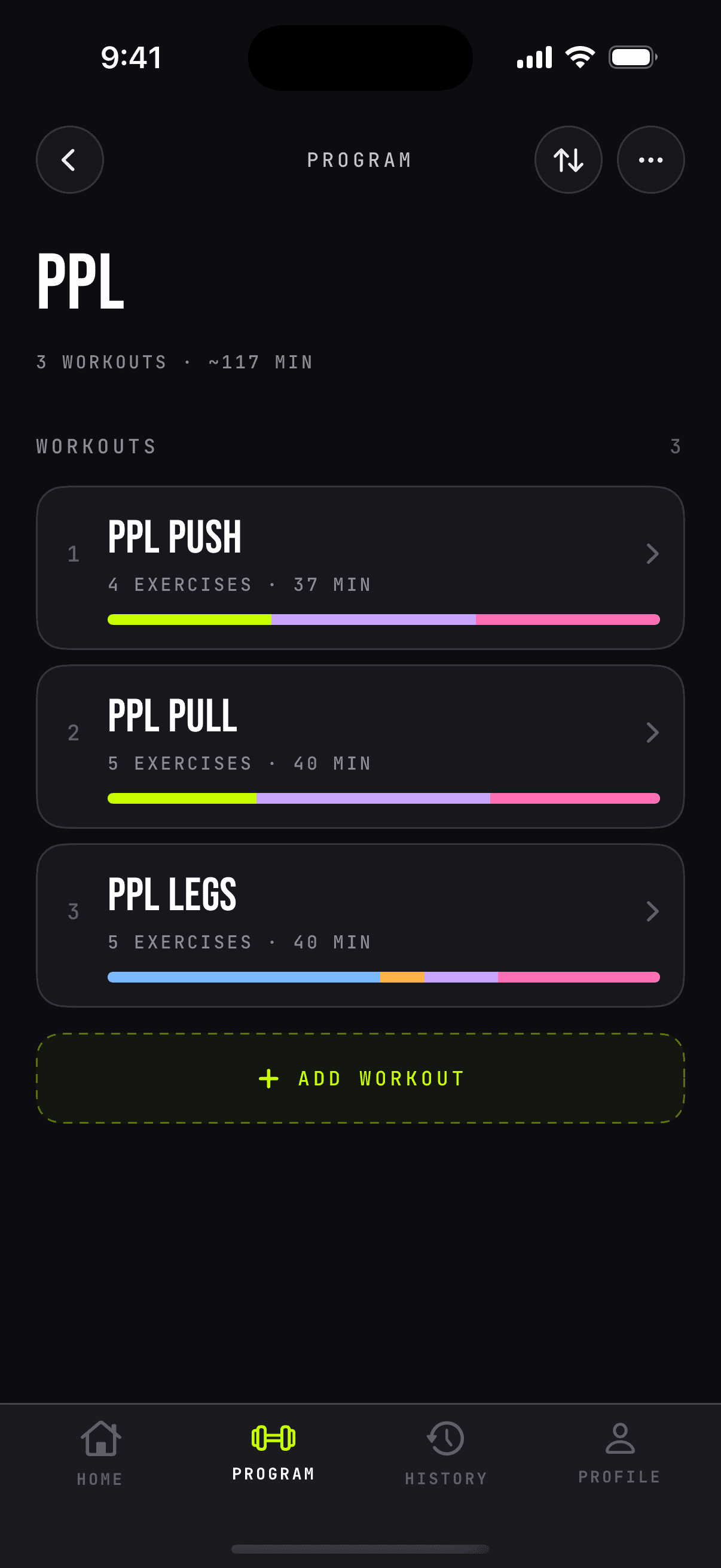
| Push / Pull / Legs | Three rotations. Classic high-frequency volume. | Push pull legs program |
| Upper / Lower | Alternate halves. Hits everything twice a week. | Upper lower split |
| Full body | Every session, every muscle. Best on few days. | Full body, 3 days a week |
| Body part split | One body part a day. Maximum per-muscle volume. | One focus per session |
What does the active program do day to day?
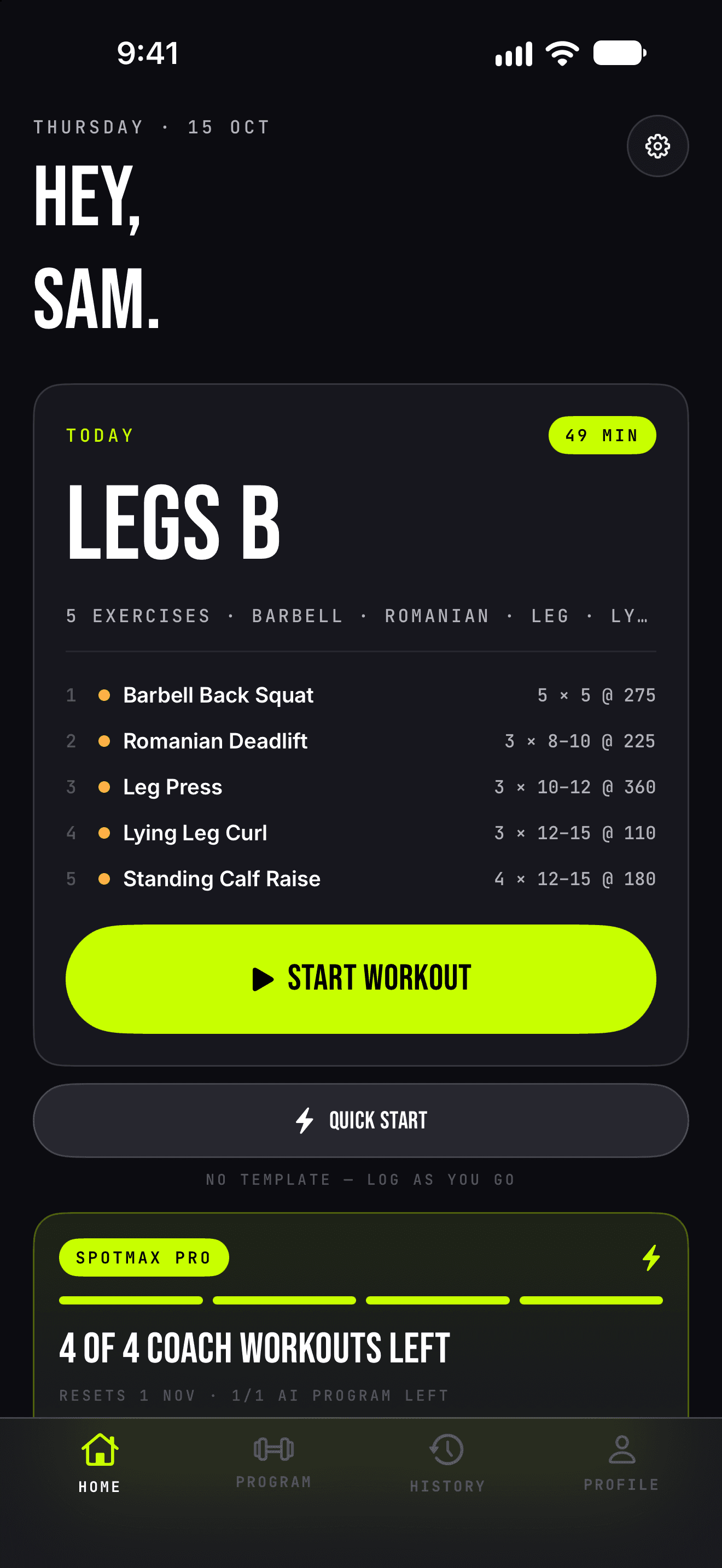
It decides what you train today: Home shows a TODAY card with the next session of the week, ready to start.
Setting a program as active means you never have to remember where you are in the week. Finish Monday's push day and Home moves the TODAY badge to the next day in the rotation. Miss a day and nothing breaks; the next unfinished day is still waiting.
Programs stay editable. You can rename them, reorder the days, edit any day's exercises, keep several saved, and switch which one is active. The weights inside each day keep moving forward through progressive overload, so week three isn't a copy of week one.
- You
“Yo Maxa, 185 for 6.”
Back squat, first working set of the lower day.
- SpotMaxLogged
Logged, 185 for 6.
- SpotMax
Next set: 185 for 6.
- You
“Yo Maxa, move on.”
- SpotMax
Next, Leg Curl: 90 for 10.
The program's next exercise, with today's target.
How is the program fitted to your gym and goals?
Every day is built only from equipment you have, shaped by your goals and experience.
Your profile sets the frame: up to two goals (build muscle, strength, powerlifting, endurance, lose weight), your gym type and your experience. A powerlifting goal on four days produces a different week than a muscle-building goal on five. A home gym or calisthenics setup never gets machines it doesn't have.
The program sets the structure, and the session can still change on the day. If equipment is taken, the AI voice coach can swap an exercise mid-workout. For a one-off day outside the plan, use the single workout generator.
How many AI programs can you generate for free?
One per month on the free tier, not counting the program SpotMax builds during onboarding.
So a new user gets the onboarding program plus one more that month. SpotMax Pro removes the monthly cap; it's $9.99 a month or $59.99 a year, with a 7-day free trial on the yearly plan. Single workouts are unlimited on both. See pricing for the full comparison.
Program generator FAQ
Can I train 6 days a week with a SpotMax program?
Yes. Programs go from 2 to 6 days per week. Push/Pull/Legs is a common choice at 6 days, run twice through.
Can I keep more than one program?
Yes. Save as many as you like and switch the active one at any time. Only the active program drives the TODAY card.
Does the program change as I get stronger?
The structure stays the same until you edit it. The weights move: SpotMax raises targets as you hit the top of each rep range.
More in Features.