
Short answer
The SpotMax AI workout generator builds a single session on demand. Pick a focus such as Pull or Legs, choose 30 to 90 minutes, add notes like “bad shoulder, no overhead”, and SpotMax creates a workout from the equipment you actually have. You preview and edit it before saving, and it's free and unlimited.
What do you choose when generating a workout?
Three things: the focus, the length, and anything else the workout should know about you today.
- Focus
- Push, Pull, Legs, Upper, Lower, Full body, or Custom.
- Custom muscles
- Pick any mix of the 16 muscles SpotMax tracks: chest, lats, upper back, lower back, front delts, side delts, rear delts, biceps, triceps, forearms, quads, hamstrings, glutes, calves, abs and obliques.
- Length
- 30, 45, 60, 75 or 90 minutes.
- Notes
- Free text, optional. Injuries, exclusions, preferences:
bad shoulder, no overhead
.
Your profile fills in the rest. Before the first generation SpotMax confirms your goals, gym type and experience, so you don't repeat them every time.
How does SpotMax avoid equipment you don't have?
Workouts are built only from the equipment that matches your gym type: commercial gym, home gym or calisthenics.
Generic generators often hand a home lifter a leg press or a cable stack. SpotMax starts from your gym type, so a calisthenics setup gets bodyweight work and a commercial gym can use machines and cables. Notes narrow it further: write no barbell today
and the generator works around it.
If something still doesn't suit you, fix it in the preview. And if the gym is packed once you're training, ask the AI voice coach to swap a lift mid-session.
What happens after SpotMax generates the workout?
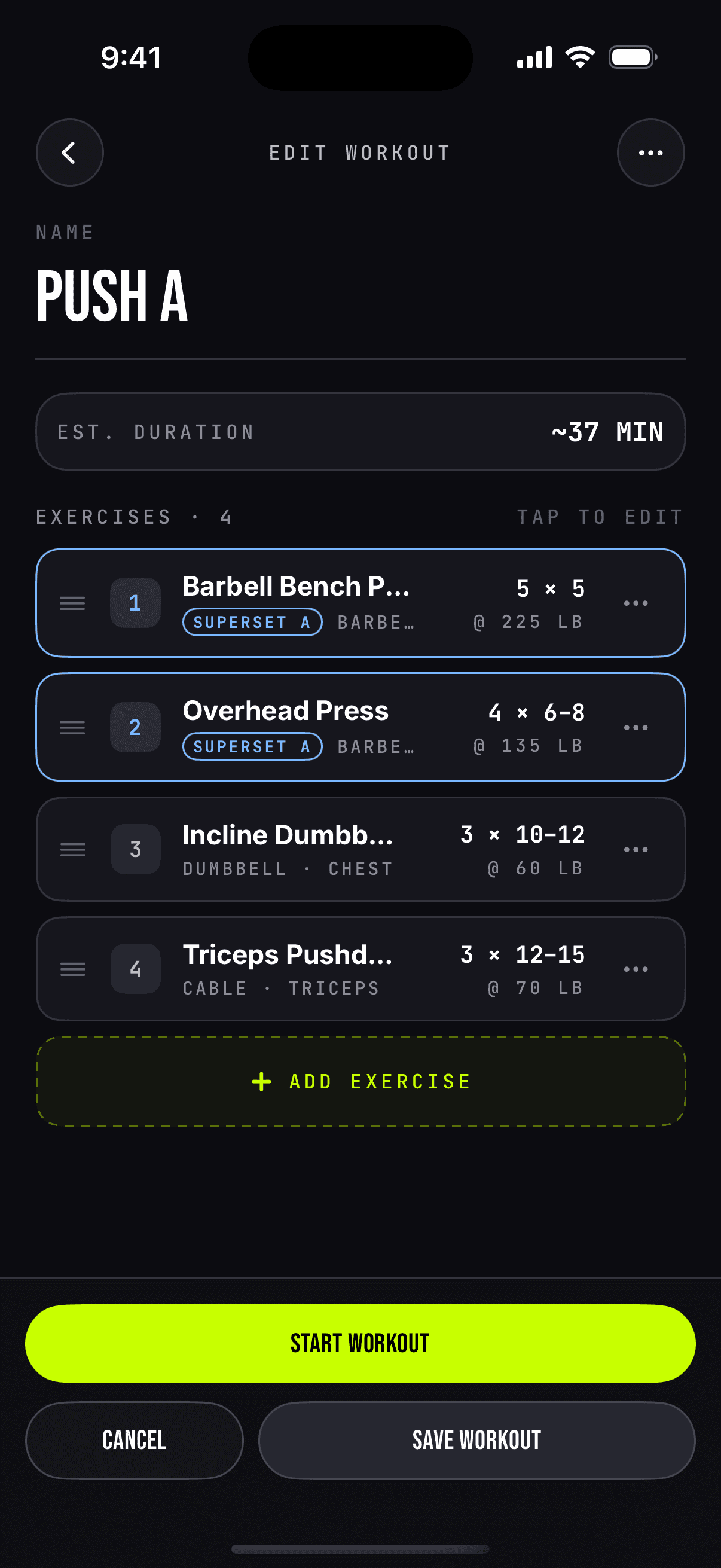
You get a preview with every exercise, its sets, reps and rest, and you can edit it before you save or start it.
- 1
Read the preview
Each exercise shows sets × reps and the rest time, plus an estimated session length.
- 2
Edit what you don't want
Swap, remove or reorder exercises in the editor, the same one you use for your own routines.
- 3
Save it or start it
Save it as a routine to reuse later, or start it straight away. You can also generate a session directly into an existing program as an extra day.
- 4
Train it by voice
Starting weights come from your history when you have it, or from sensible equipment defaults when you don't. After that, progressive overload takes over.
- You
“Yo Maxa, 115 for 10.”
Chest-supported row, the first exercise in the generated plan.
- SpotMaxLogged
Logged, 115 for 10.
- SpotMax
Next set: 115 for 10.
- You
“Yo Maxa, 115 for 10.”
- SpotMax
Logged, 115 for 10.
- SpotMax
Next, Lat Pulldown: 100 for 12.
Generated sessions run exactly like your own routines.
How is a single workout different from an AI program?
A generated workout is one session for today; an AI program is a full week of 2 to 6 training days that SpotMax rotates through for you.
| AI workout generator | AI program generator | |
|---|---|---|
| Output | One session | A weekly plan of 2–6 days |
| Best for | Today's gap, travel, a day off-plan | Training on a schedule for weeks |
| Choices | Focus, length, notes | Days per week, split, length, notes |
| Free tier | Unlimited | 1 program per month |
A common pattern: run a program on your regular days, and generate a one-off when you're travelling, short on time, or want to hit a weak muscle with a Custom session.
Is the AI workout generator free?
Yes. Single-workout generation is free and unlimited on every plan.
There's no monthly cap and no account. Voice is what's metered during the workout itself. Free: 4 hands-free voice workouts a month; unlimited tap logging. Pro: unlimited voice. Everything is laid out on pricing.
Workout generator FAQ
Can I generate a workout for one muscle group?
Yes. Choose Custom and pick only the muscles you want, for example side delts and rear delts.
How long does a generated workout take?
You set it: 30, 45, 60, 75 or 90 minutes. The preview shows the estimated length before you save.
Does it work for beginners?
Yes. Your experience level shapes the plan, and each exercise has a written guide. The beginners page covers getting started.
More in Features.