
Short answer
SpotMax is a hands-free workout tracker for iPhone: you start the workout once, lock the phone, and run the whole session by voice. SpotMax logs each set you say, reads out the next target, times your rest and talks to you through your earbuds, so the screen stays dark until the summary.
- You
“Yo Maxa, 135 for 10.”
First working set of barbell rows.
- SpotMaxLogged
Logged, 135 for 10.
- SpotMax
Next set: 135 for 10.
- SpotMax
Rest done, you're up.
The rest cue replaces checking a timer.
- You
“Yo Maxa, skip this set.”
- SpotMax
Skipped. Next, Lat Pulldown: 120 for 12.
Skipping the last row set moves you to the next lift.
- SpotMax
I'm back, say your set.
Said after a phone call interrupts the workout and ends.
- You
“Yo Maxa, done for today.”
- SpotMax
Ending the workout — nice work.
What does a hands-free workout look like from start to finish?
You touch the phone twice: once to start the workout and once to look at the summary. Everything in between happens by voice and in your earbuds.
- 1
Before the first set: pick the workout
Open today's workout (the TODAY card on Home shows it if you run a program) and tap start. This is the only time you need the screen before the session ends.
- 2
Lock the phone and put it away
A pocket is ideal. SpotMax keeps running as background audio, so locking the screen doesn't pause it.
- 3
Talk between sets
Say each set with the wake word. SpotMax confirms it, tells you the next target and starts your rest. The exact phrases are on the voice logging page.
- 4
Move through the workout by voice
next exercise
,skip this set
andundo
cover the common changes. Questions such asWhat's next?
go to the AI voice coach. - 5
End it out loud
Say
done for today
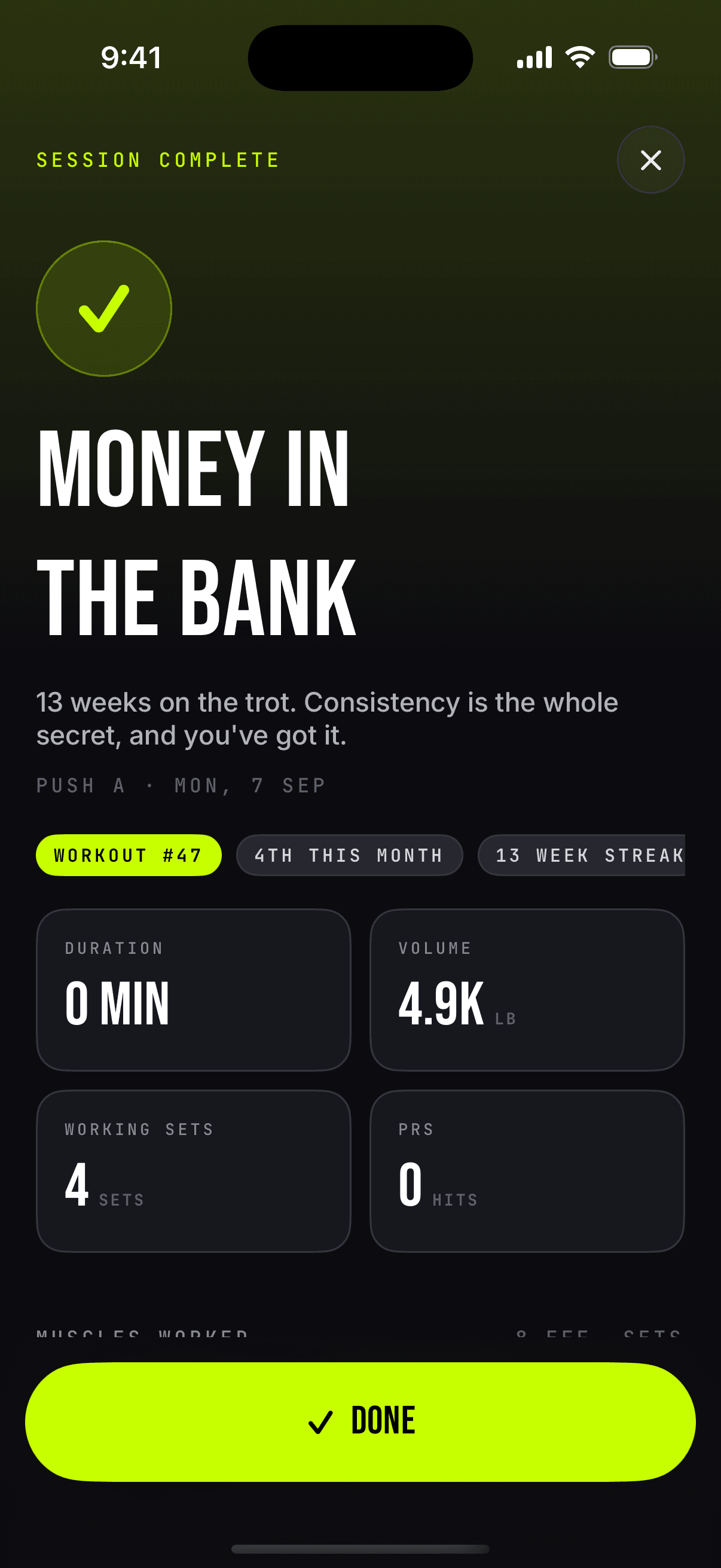
. The completion screen is waiting the next time you unlock: PRs, muscles worked and next session's targets.
How many taps does hands-free tracking save per set?
With a typing-based tracker every set costs an unlock and a few taps; with SpotMax it costs one sentence.
| Step | Typing-based tracker | SpotMax |
|---|---|---|
| Get to the app | Pull out the phone, unlock it, find the workout screen | Nothing. The phone stays locked. |
| Enter the set | Tap the weight field, type, tap reps, type, tick the row | Say Yo Maxa, 135 for 10 |
| Check it saved | Look at the screen | Hear Logged, 135 for 10. |
| Start rest | Start or check a timer | Rest starts on its own; you hear when it's over |
| Know the next set | Scroll to the next row | Hear Next set: 135 for 10. |
Times vary by app and by lifter, so this compares steps, not seconds.
Across a 20-set session that's 20 unlocks you skip, and 20 chances to open a message or a feed between sets that never happen. If typing between sets is the part you hate most, the log workouts without typing page goes deeper on that problem.
Does SpotMax keep working when the iPhone is locked?
Yes. SpotMax runs as background audio, so the wake word keeps listening and replies keep playing while the screen is off.
The wake word and speech-to-text run on the iPhone itself, so SpotMax doesn't need the screen awake to hear Yo Maxa
. Your music keeps playing underneath; SpotMax mixes its voice in rather than pausing it. The music page explains how that works.
If you want to glance at where you are without unlocking, the Lock Screen Live Activity shows the exercise, the set number, the target and the rest countdown. It also has a TALK button for the times you'd rather tap than say the wake word.
What happens when a call, a mute or a mistake interrupts the workout?
SpotMax pauses, then picks up where you left off and tells you so out loud.
- A phone call: voice pauses for the call. When it ends you hear
I'm back, say your set
, and the workout carries on from the same set. - A muted mic: if you mute the mic you hear
Mic muted — press the stem to unmute
, so you're never talking to a mic that isn't listening. More on the AirPods page. - A misheard set: say
undo
and SpotMax answersUndone
. Then say the set again. - Nothing to undo or skip: SpotMax says
Nothing to undo
orNo set left to skip.
instead of guessing. - The last set of the day: you hear
That's your last set — great work
, so you know you're finished without checking.
What do you still need the screen for?
Setup and review: building routines or programs, starting the workout, and reading the summary afterwards.
Hands-free covers the part of training where your hands are busy. Planning still happens on the screen: generating a workout, editing a routine, or browsing your history and PRs. That's deliberate. Those jobs are easier with a screen, and none of them happen with a bar in your hands.
You can also mix modes at any point. Tap a set in on the workout screen, then go back to voice for the next one. Manual logging works offline and has no monthly limit, which matters for the honest caveats below.
Hands-free FAQ
Do I need to unlock the phone to change exercises?
No. Say
next exercise
ormove on
and SpotMax announces the next lift and its target.Can I keep the phone in a bag across the gym?
Keep it on you. Unless your AirPods mic is in use, the phone's own mic does the listening, and it hears you best from a pocket.
Will hands-free mode drain the battery?
SpotMax keeps audio running for the whole workout. We don't publish battery figures, so check your own usage in iPhone Settings after a few sessions.
More in Features.